First settings: site title, tagline, language, timezone
Before you add any content, spend five minutes in Settings.
These small choices show up in more places than you’d expect, so they’re worth getting right.
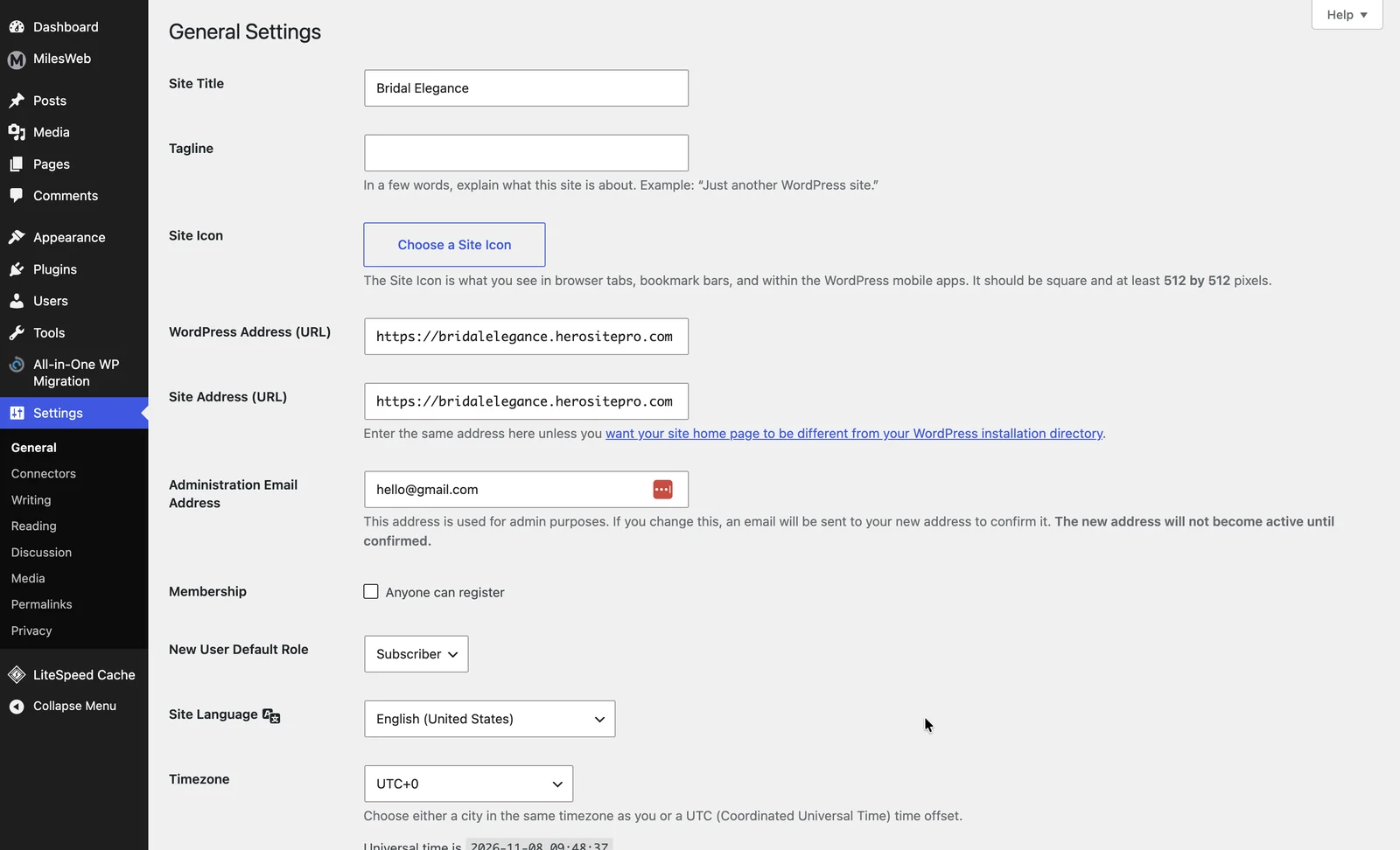
Go to Settings, then General. Check these:
Site Title: your site or business name. It can appear in your header, in browser tabs and in search results.
Tagline: a short line about what you do. Replace any placeholder text, or leave it blank if you don’t need one.
Site Language: the language used for the admin screens and some text visitors see.
Timezone: choose your city or a matching UTC offset. If this is wrong, scheduled posts can go out at the wrong time.
Date and time format: pick what your readers expect, such as 2 November 2026.
Click Save Changes at the bottom when you’re done. It’s easy to forget.
WordPress.com vs self-hosted: the same settings exist on both, though the screen may be laid out differently.
Go deeper: Basic WordPress settings lesson
What tagline would you write for your site in under ten words?
Join the conversation on LinkedIn